


In Tiles, the chat sessions we have with local models can be shared publicly. This is similar to sharing conversations as Shared Links in ChatGPT or via Pi (using GitHub Gists). Sharing our research, ideas, and musings with others is valuable. What Tiles explores is how much ownership we can retain over those shared conversations.
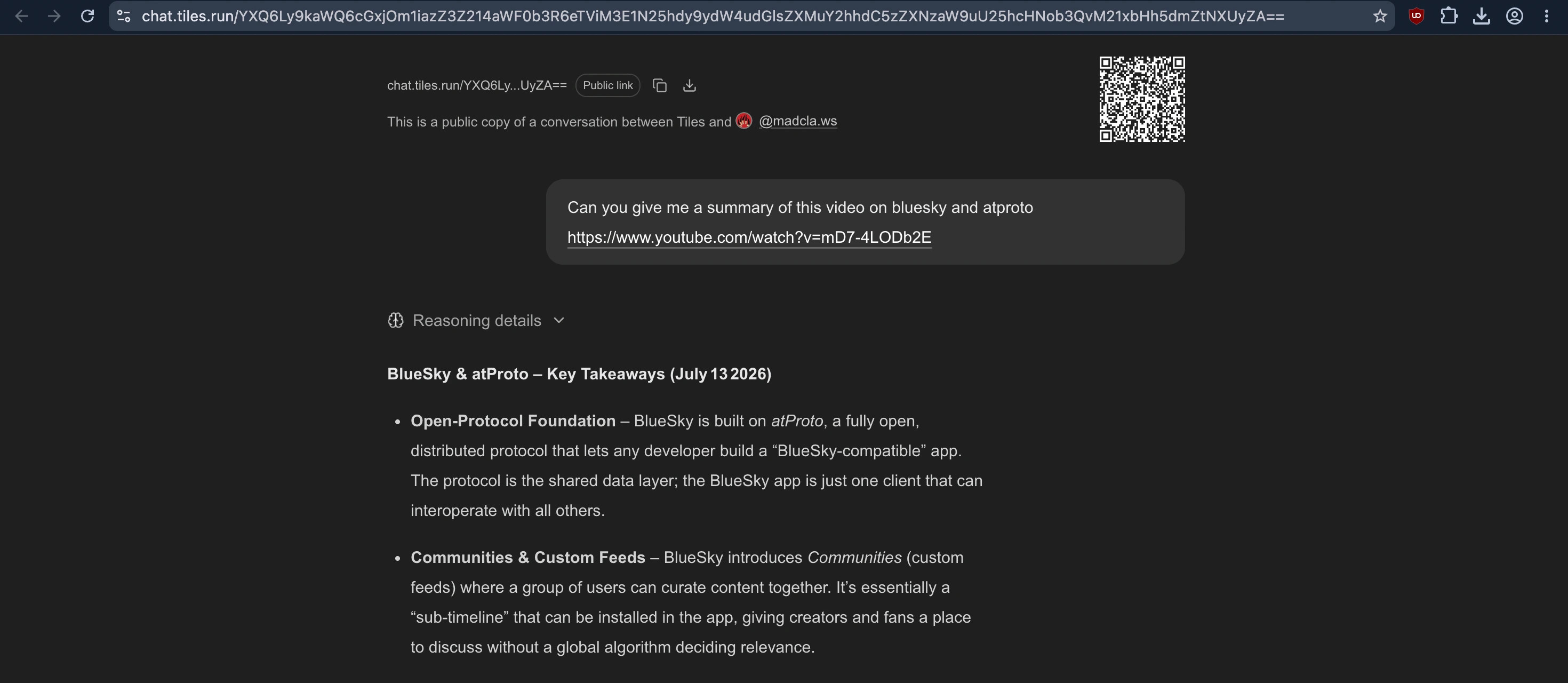
In Tiles, all chat sessions are completely local and stored encrypted on your device. So when we want to share those local conversations with the outside world, we should preserve the same ethos.
There are two ways to share sessions in Tiles. The first is to sync chats end to end encrypted, peer to peer, across your own devices, as described here. That approach provides the strongest privacy and the most granular control, and deserves its own blog post.
But what if you simply want to share your research, ideas, or musings as a regular web link that anyone can open, even if they don't have Tiles installed, similar to ChatGPT's Shared Links, while still preserving data ownership? And what if other applications could build on those publicly shared conversations for entirely new use cases?
This is where AT Protocol comes into the picture.
Reaching for the Atmosphere
AT Protocol, also abbreviated as ATproto, is a decentralized social networking protocol that lets users publish and distribute self-authenticated data. That one-line description doesn't do it justice, so we highly recommend Dan Abramov's excellent explanation of it here.
For our use case of sharing chat sessions, ATproto provides two important guarantees: a permanent identity and the ability to move your data anywhere without breaking existing shared links. Even if Tiles were to stop existing, your shared sessions would remain accessible, and anyone could build another application to display them. The data, its format, and the protocol are all open, much like Markdown.
Tiles doesn't own your shared sessions. They live in your PDS (Personal Data Server in the ATproto ecosystem), and you're free to move to another PDS whenever you want. When you share a session from Tiles using ATproto, the data is published to your PDS, not stored on Tiles' infrastructure. You can host your own PDS or choose one operated by someone you trust.
This separation of applications from identity and data is one of ATproto's core ideas. If you stop using one microblogging app and switch to another that also speaks ATproto, you don't lose your identity, your followers, or your posts. Your identity, social graph, and data move with you across applications, forming what the ATproto community calls the Atmosphere.
Sharing sessions with Tiles
To share a session from Tiles, you first need an ATproto account. The easiest way to get started is by creating a Bluesky account. Every ATproto account is associated with a PDS (Personal Data Server), which is where your data is hosted.
For example, you can create a Bluesky account and use Bluesky's PDS. There are, of course, other PDS providers as well, such as Northsky and Eurosky. The important point is that you can move your account to a different PDS later if you choose. For example, you can migrate from Bluesky's PDS to Northsky's without changing your ATproto handle or your underlying identity, both of which remain the same.
Once you have an ATproto account, you can sign in to it from Tiles using your ATproto handle, as described here. After that, you can open the Tiles CLI (with a web UI coming soon) and share either the current conversation or any existing session using the /share command.
Tiles publishes the session to your ATproto PDS and returns a public link that anyone can access. For more details, see the documentation.
What about private sessions?
Sometimes we want to share a session only with specific people rather than making it public to everyone. One limitation of ATproto today is that records stored in a PDS are public by design, enabling data portability, transparency, and interoperability. There is ongoing work to support permissioned data, but that is not available yet.
To preserve the privacy of sensitive Tiles sessions, Tiles supports private sharing by encrypting the session locally before it is uploaded to the PDS. The encrypted data is stored in your PDS, while the encryption key is placed in the URL fragment (#...). Since URL fragments are never sent to the server, decryption happens entirely in the recipient's browser. This means your PDS stores only encrypted data, and only someone with the complete link can decrypt and view the session.
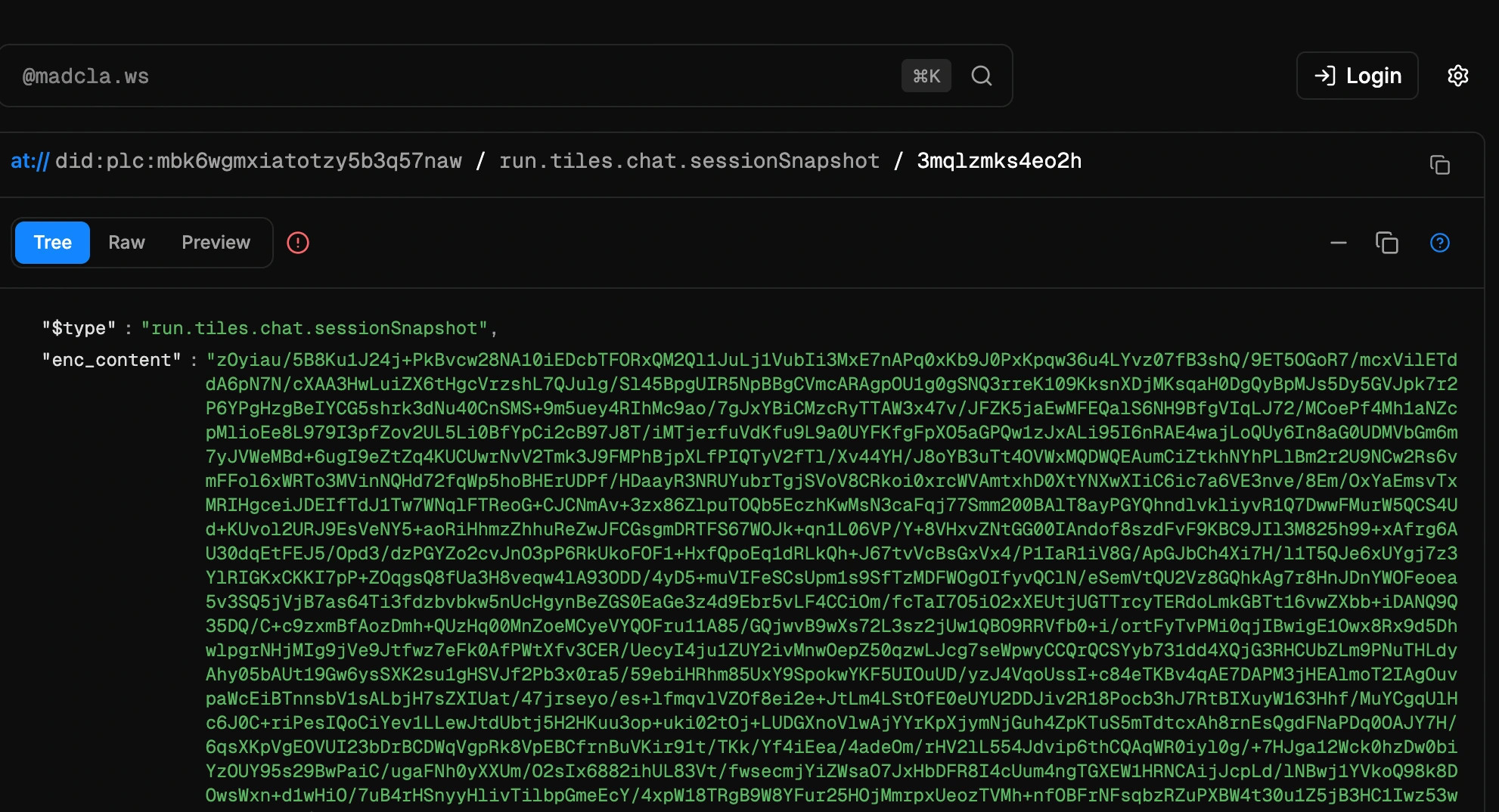
Here's an example of a private shared session. If you inspect the URL, you'll notice that the encoded encryption key (TmqE5ZwyWaCl/6wCI5R0AsCWwlg2GZ5D.vyLaXFpy6dnB6G9jbHr8aOIxg5hBNeA+KB0v0DQrUkE=) is included as a URL fragment after the #. You can also verify that the corresponding data stored in the PDS is encrypted by inspecting it here.
Because the encryption key never becomes part of the data stored in the PDS, the session remains encrypted while publicly hosted. Only someone with the complete URL can decrypt and view it, since decryption happens entirely in the browser. Under the hood, Tiles uses ChaCha20-Poly1305 for authenticated encryption.
Interoperable sessions
We mentioned earlier that sessions shared through Tiles can outlive Tiles itself. One reason is that the underlying data lives in a user-controlled PDS. But that alone isn't enough. If the data is stored in a proprietary format that requires reverse engineering to use outside of Tiles, then the only thing you've gained is the ability to export a data dump. Credible exit requires more than that.
As mentioned earlier, ATproto already makes it possible to move from one social application to another without losing your identity, social graph, or data. The same principle should apply to AI conversations.
It's similar to how a Markdown file can be edited in Notepad and then opened in VS Code without any conversion. It would be even more powerful if we had that level of interoperability for everything, from social posts to LLM chat sessions.
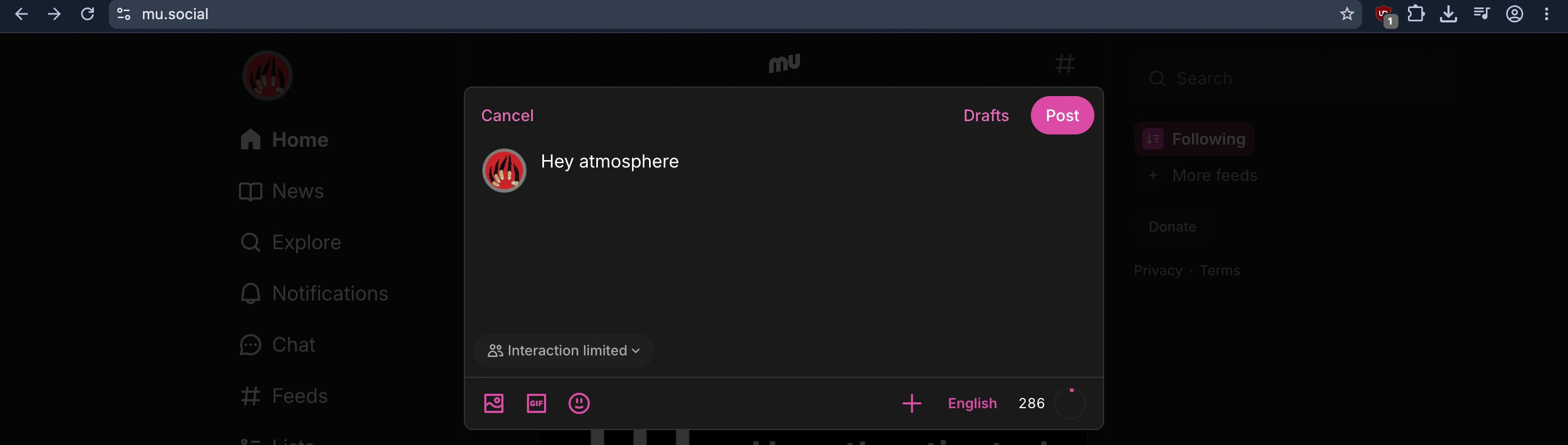
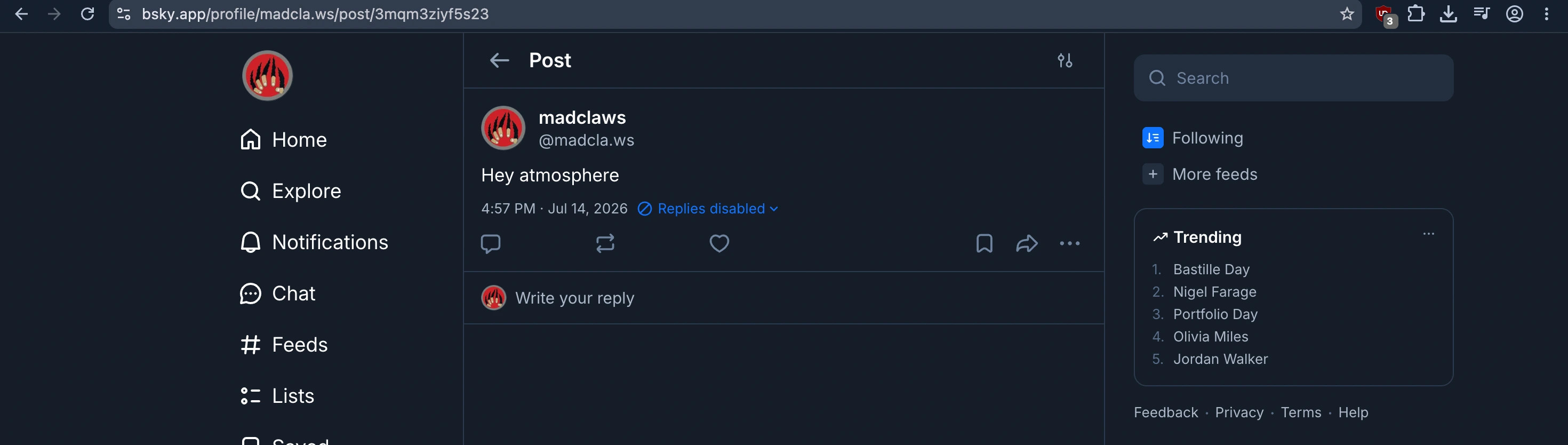
In fact, this already exists for posts on ATproto. I can create a post in Mu, then open and edit that same post in Bluesky while using the same ATproto account, the same identity, and the same underlying data storage. If I ever decide I no longer like Bluesky's interface, or simply prefer another client, I can switch to Mu without worrying about losing my followers or my content.
It would be exciting to bring that same interoperability to LLM chat sessions. Imagine publishing a local conversation from Tiles and opening it in a different chat viewer. Or imagine publishing a conversation created in ChatGPT, importing it into Tiles, continuing the conversation locally, publishing the updated session, and then opening it again in another compatible application. Just like a text file, the conversation would no longer be tied to a single app.
ATproto enables this kind of interoperability through Lexicons. A Lexicon is essentially a JSON schema, with a few ATproto-specific extensions, that defines the structure of a particular type of data so it can be understood consistently across the network.
As a first step toward interoperable AI conversations, Tiles defines a Lexicon for LLM chat sessions called run.tiles.chat.sessionSnapshot.
{
  "id": "run.tiles.chat.sessionSnapshot",
  "$type": "com.atproto.lexicon.schema",
  "lexicon": 1,
  "defs": {
    "main": {
      "key": "tid",
      "type": "record",
      "record": {
        "required": ["name", "sessionId", "createdAt", "turns"],
        "properties": {
          "name": { "type": "string" },
          "sessionId": { "type": "string" },
          "createdAt": { "type": "string", "format": "datetime" },
          "turns": {
            "type": "array",
            "items": {
              "type": "object",
              "properties": {
                "model": { "type": "string" },
                "messages": {
                  "type": "array",
                  "items": { "ref": "#message" }
                }
              }
            }
          }
        }
      }
    },
    "message": {
      "type": "object",
      "required": ["role", "content"]
    },
    "contentItem": {
      "type": "object",
      "required": ["type"]
    }
  }
}
All sessions published through Tiles use this Lexicon. In that sense, the Tiles session viewer acts as a free viewer for any session published in this format. You don't even need Tiles to create the data. Any application can publish a session directly to a user's PDS using the ATproto APIs, and the Tiles viewer can render it.
This opens up some interesting possibilities. Under the hood, Tiles uses Pi as its agent harness, and Pi is also used by several other assistants, including OpenClaw. Imagine if there were a standard Lexicon for Pi sessions. The level of interoperability would be remarkable. Conversations could move seamlessly between applications built on the same underlying session format.
For example, if you tagged a friend in a Tiles chat session, that mention wouldn't be lost when the conversation was opened in another ATproto-compatible AI assistant application. The conversation, its metadata, and its social context could all travel together.
We'll continue experimenting with ATproto as we build more features in Tiles. ATproto aligns closely with the principles we care about: collaboration, credible exit, and user agency. We believe conversations should be portable, interoperable, and ultimately owned by the people who create them.
That's the future we're building toward, so you can truly own your sessions.